클라우드프로그래밍 6주차 — 헬스체크와 Docker Compose
컨테이너 HEALTHCHECK와 Docker Compose로 API+Web 다중 컨테이너를 한 번에 구성한 6주차 기록. 서비스 이름 기반 통신과 헬스 상태 확인까지 정리했다.
클라우드프로그래밍 6주차 — 헬스체크와 Docker Compose
6주차는 두 가지를 다뤘다. 컨테이너 헬스체크(HEALTHCHECK) 와, Docker Compose 로 여러 컨테이너(API+Web)를 한 번에 띄우는 구성이다.
핵심 개념 정리
- HEALTHCHECK: 컨테이너가 “실행 중”일 뿐 아니라 “정상 동작 중”인지 주기적으로 검사한다.
interval/timeout/retries/start_period로 정책을 정하고, 상태는starting → healthy → unhealthy로 표시된다. - Docker Compose: 여러 컨테이너·네트워크·볼륨을 YAML 한 파일로 선언하고
docker compose up한 번으로 구동한다. 서비스 이름이 곧 DNS 이름이 되어 컨테이너 간 통신에 쓰인다. - 실습 앱:
numbers-api(랜덤 숫자 REST API) +numbers-web(API를 호출하는 웹 UI). 웹이 API에 의존한다.
단독 API + 헬스체크 이미지
numbers-api 실행 + /rng 호출
1
2
3
4
5
6
7
$ docker run -d -p 8087:80 --name numbers-api diamol/ch08-numbers-api
$ curl http://localhost:8087/rng
23
$ curl http://localhost:8087/rng
66
$ curl http://localhost:8087/rng
55
헬스체크가 내장된 v3 이미지 확인
1
2
$ docker image inspect diamol/ch08-numbers-api:v3 --format '{{.Config.Healthcheck.Test}}'
[CMD dotnet Utilities.HttpCheck.dll -u http://localhost/health]
v3 이미지는 /health 엔드포인트를 호출하는 HEALTHCHECK 가 빌드돼 있어, Docker가 컨테이너 상태를 healthy/unhealthy 로 판정한다.
Docker Compose 다중 컨테이너
docker-compose.yml
API와 Web을 같은 네트워크(app-net)에 묶고, 각 서비스에 헬스체크를 정의했다.
1
2
3
4
5
6
7
8
9
10
11
12
13
14
15
services:
  numbers-api:
    image: diamol/ch08-numbers-api:v3
    ports: ["8087:80"]
    healthcheck: { interval: 5s, timeout: 1s, retries: 2, start_period: 5s }
    networks: [app-net]
  numbers-web:
    image: diamol/ch08-numbers-web:v3
    restart: on-failure
    ports: ["8088:80"]
    healthcheck:
      test: ["CMD", "dotnet", "Utilities.HttpCheck.dll", "-t", "150"]
      interval: 5s
    networks: [app-net]
networks: { app-net: {} }
docker compose up → 두 컨테이너 + 네트워크 생성
1
2
3
4
5
6
7
8
9
$ docker compose -p week06 up -d
 Network week06_app-net          Created
 Container week06-numbers-api-1  Started
 Container week06-numbers-web-1  Started

$ docker compose -p week06 ps --format 'table {{.Name}}\t{{.Image}}\t{{.Status}}'
NAME                   IMAGE                        STATUS
week06-numbers-api-1   diamol/ch08-numbers-api:v3   Up 12 seconds (healthy)
week06-numbers-web-1   diamol/ch08-numbers-web:v3   Up 12 seconds (healthy)
두 컨테이너 모두 (healthy) 상태로 헬스체크를 통과한다.
헬스 상태 상세 (inspect)
1
2
3
4
$ docker inspect week06-numbers-api-1 --format 'Health={{.State.Health.Status}} 실패={{.State.Health.FailingStreak}}'
Health=healthy 실패=0
$ docker inspect week06-numbers-api-1 --format '{{range .State.Health.Log}}{{.ExitCode}} {{end}}'
0 0 0 0 0     # 최근 헬스체크 5회 모두 종료코드 0(정상)
웹 UI 동작 확인 (Web → API 의존 호출)
localhost:8088 의 “Get a random number” 버튼을 누르면 numbers-web 이 같은 네트워크의 numbers-api 를 호출해 숫자를 받아 온다.
1
2
$ curl -s -o /dev/null -w "%{http_code}\n" http://localhost:8088
200
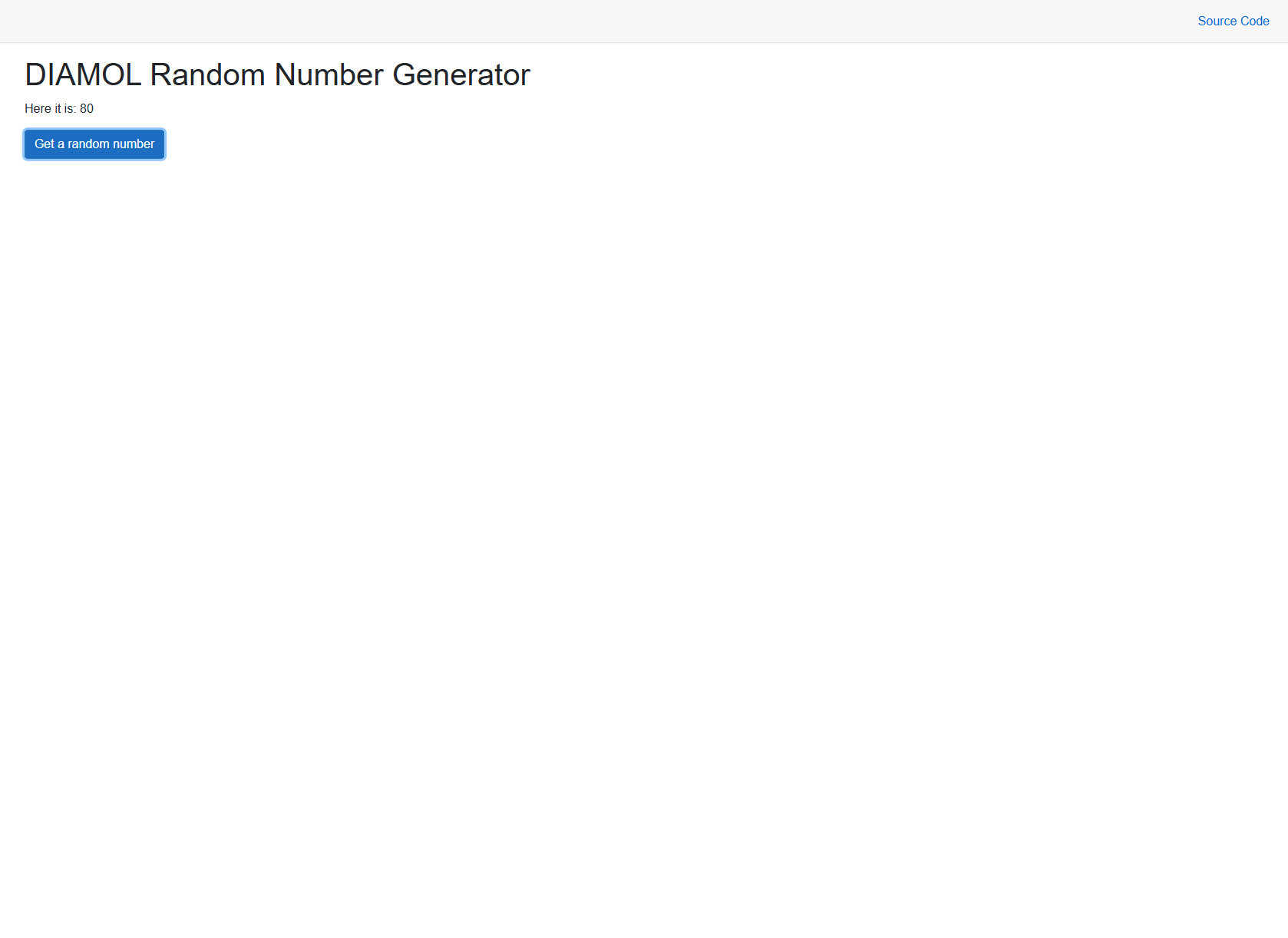 웹앱이 컴포즈 네트워크를 통해 numbers-api 로부터 랜덤 숫자를 받아 표시한다.
정리
1
2
3
4
$ docker compose -p week06 down
 Container week06-numbers-web-1  Removed
 Container week06-numbers-api-1  Removed
 Network week06_app-net          Removed
정리
헬스체크 로그(0 0 0 0 0)는 “실행 중”과 “정상 동작 중”을 구분하는 관측 지점이다. Compose의 서비스명 기반 DNS(numbers-web → numbers-api)는 컨테이너 간 통신의 기본 방식이며, docker compose up/down 한 줄로 다중 컨테이너 환경을 구성·폐기할 수 있다는 점에서 IaC(Infrastructure as Code)의 출발점에 해당한다.
This post is licensed under CC BY 4.0 by the author.